Guide
How to delete duplicate photos on iPhone (built-in vs faster workflow)
Start with the built-in Duplicates tool for exact copies. For photos that look almost the same, use Photo Monster to compare them side by side and keep the best.
Quick answer
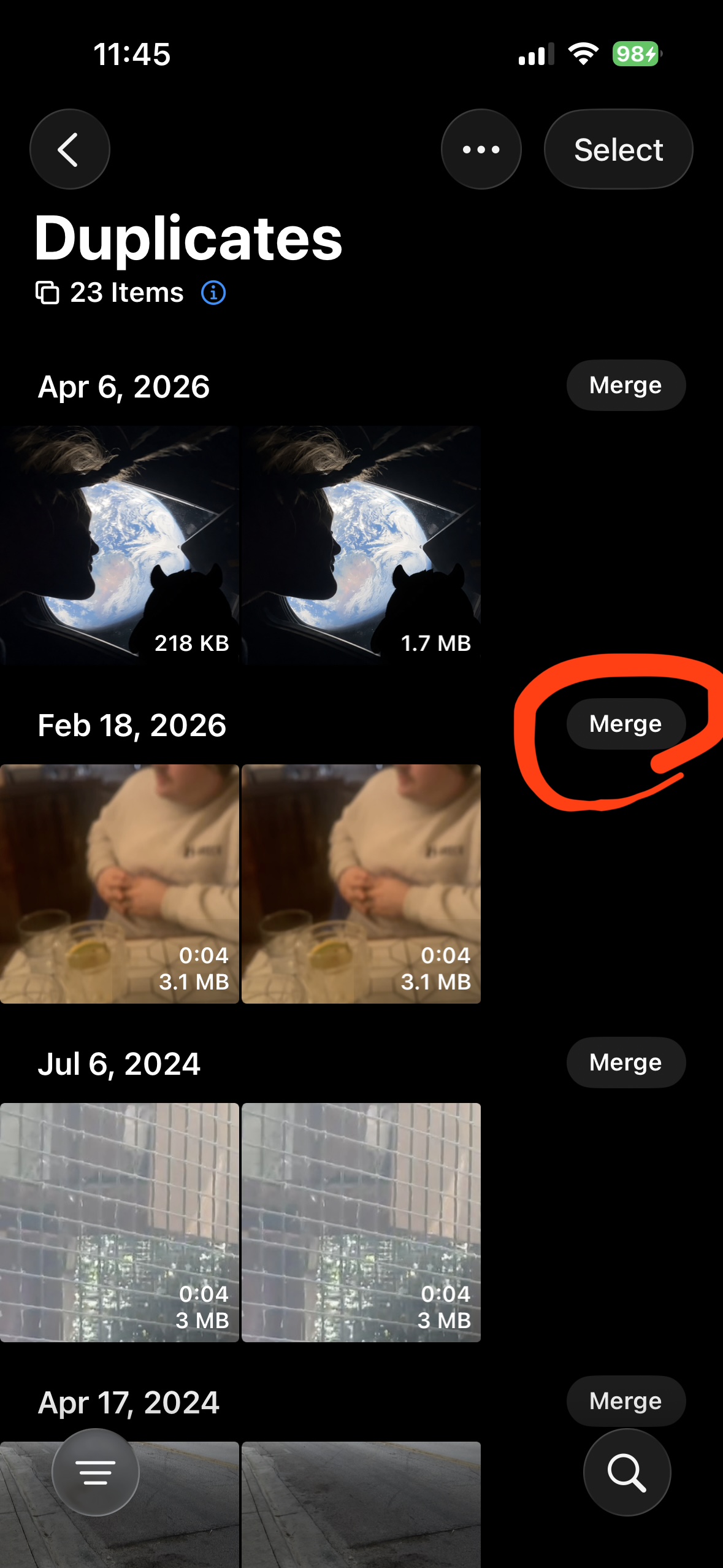
- Open Photos > Collections > Utilities > Duplicates.
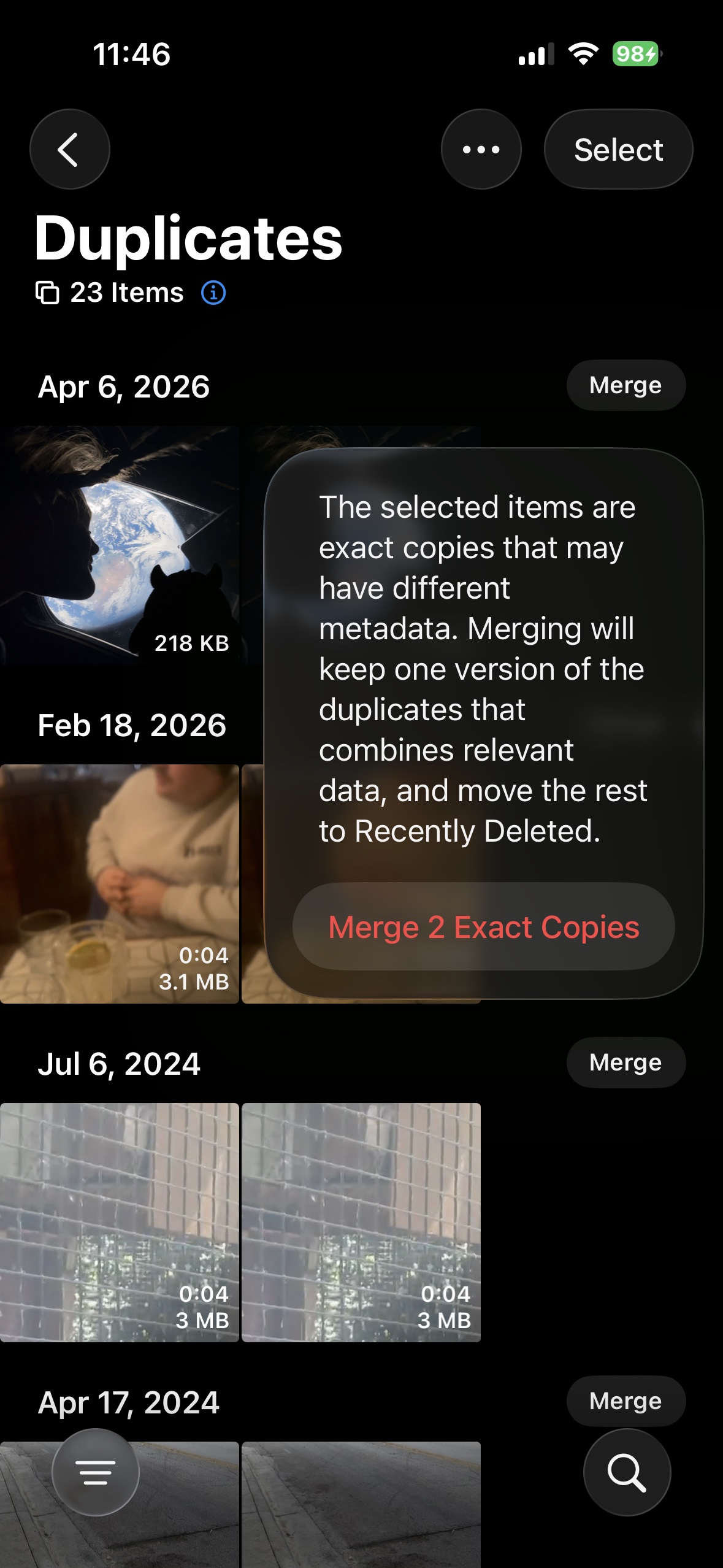
- Tap Merge on each group. Apple keeps one file and moves the rest to Recently Deleted.
- Empty Recently Deleted when you are sure.
- Use an app like Photo Monster to compare duplicates and find the best photo of the bunch easily.
Step 1: Merge exact duplicates in Apple Photos
Open Photos > Collections > Utilities > Duplicates. Each group shows copies of the same photo. Tap Merge, then confirm. Apple keeps one file and sends the rest to Recently Deleted.
What built-in tools miss
The same sunset from 8 angles. Three almost-identical selfies. A dozen shots of the dog in a row. All of these stay in your library because the built-in Duplicates tool only finds exact copies.
Step 2: Use Compare Mode for similar photos
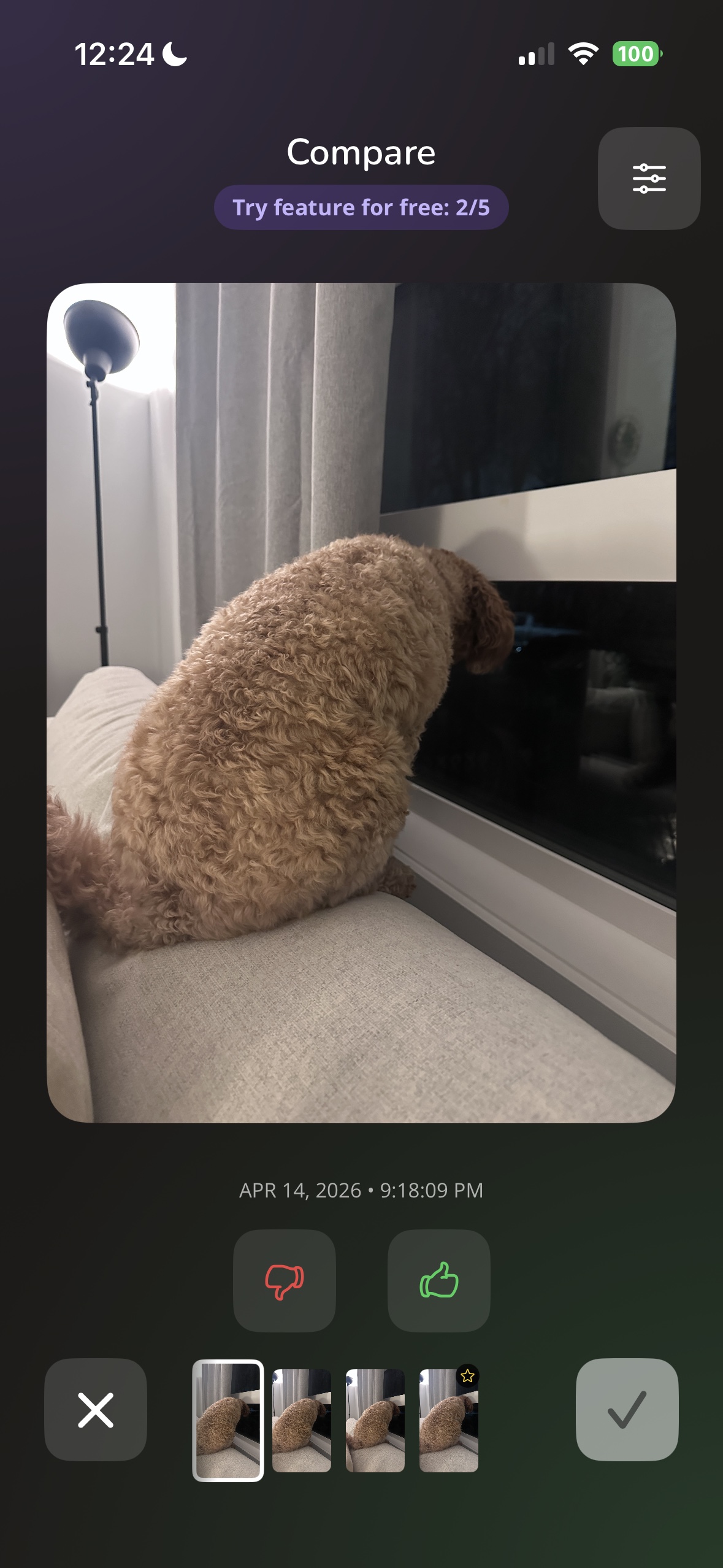
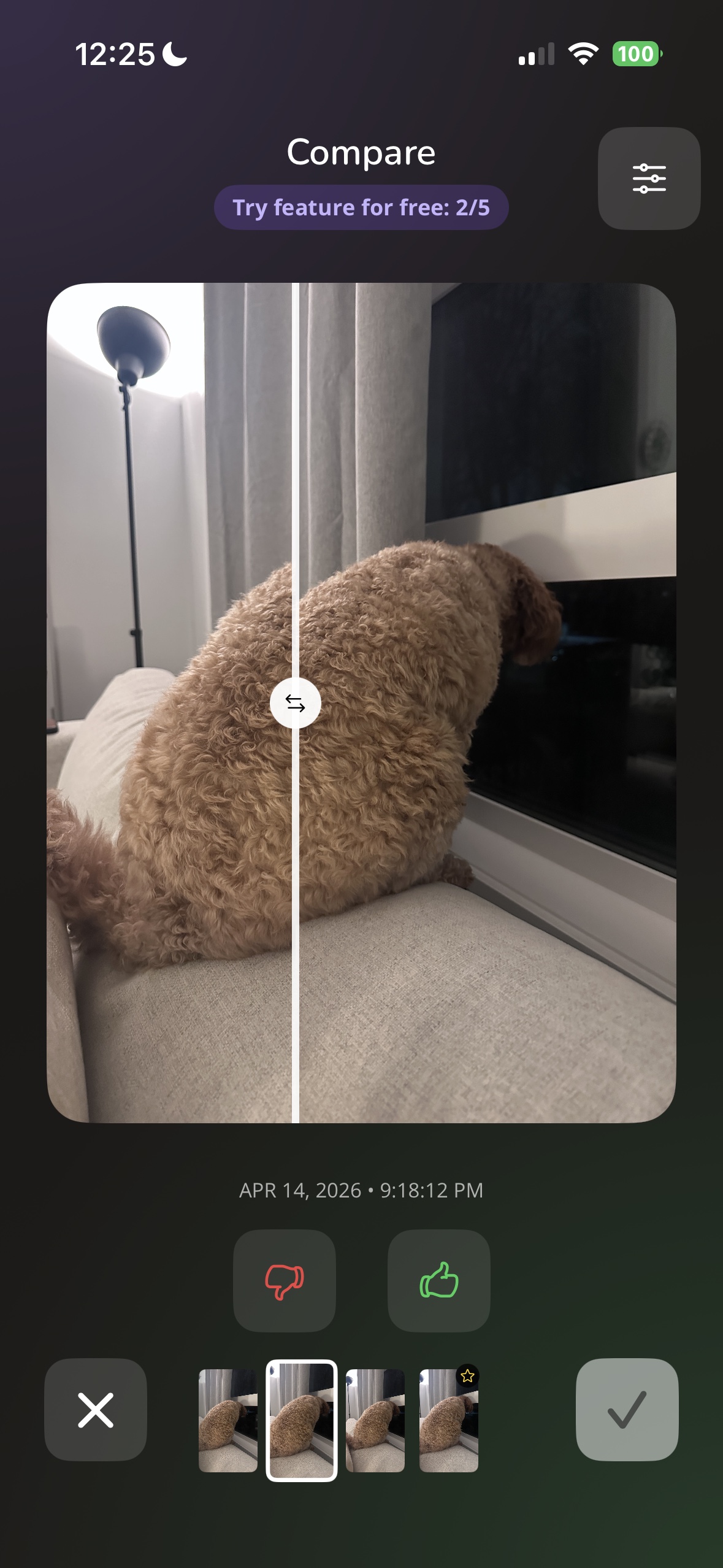
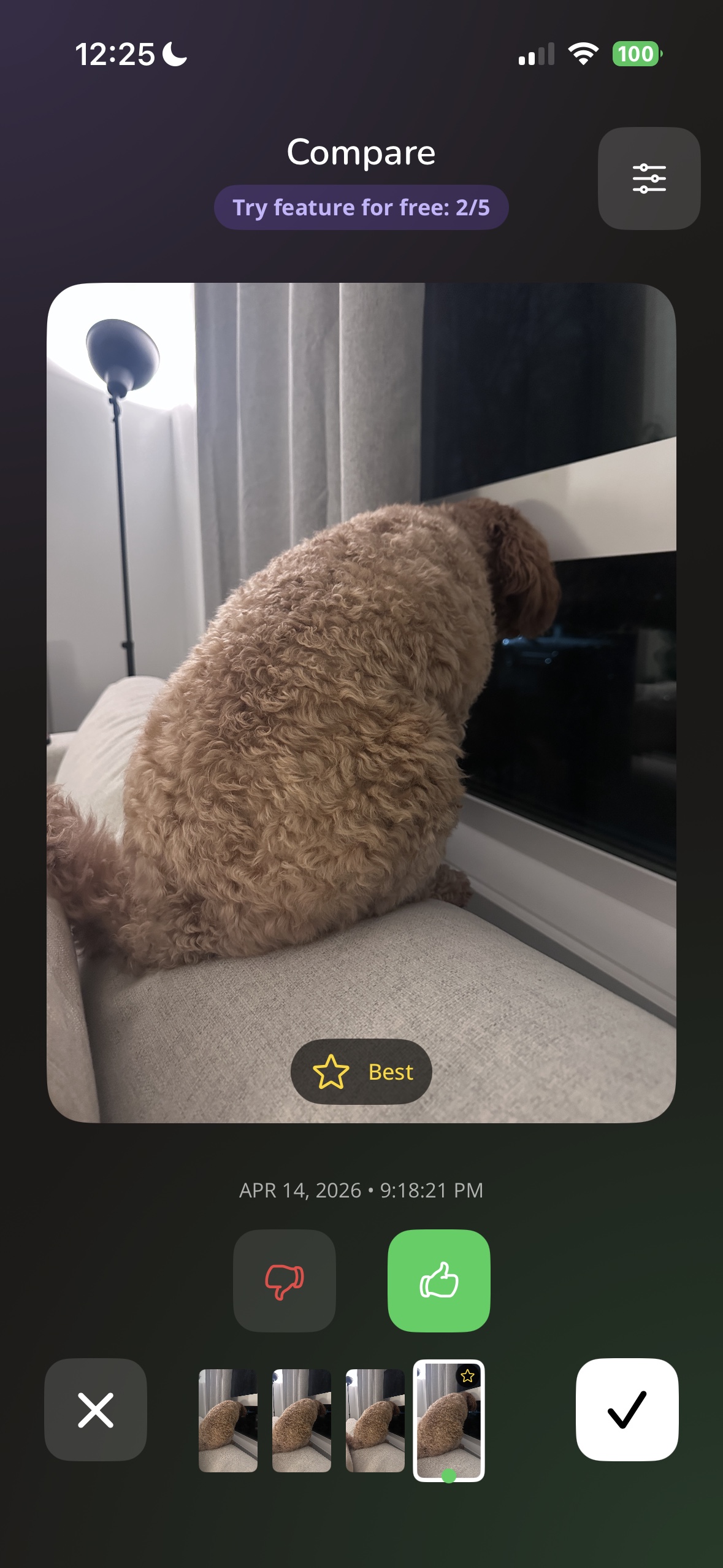
Photo Monster's Compare Mode groups similar photos together, lets you flip between them with a split view, and marks the best one with a star. Keep one, discard the rest.
Want help with faster duplicate cleanup?
Swipe through duplicates, keep the best, feed the rest to your monster.

Free. iPhone only.